Store-ready assets in minutes.
The AI screenshot and app icon maker for App Store and Google Play. Generate screenshot sets and icons from your real app, with layouts, copy, localization, and store-ready export.


Trusted by 100+ app developers
What is AppGrowthKit?
AppGrowthKit is a browser-based AI screenshot maker for the Apple App Store and Google Play, built for indie developers and small teams who ship their own listings. You upload real screens from a device or simulator. AI plans the layout, writes the headlines, and applies device frames and backgrounds on a canvas where every layer stays editable. Export writes the exact sizes App Store Connect and Play Console accept, including the 6.9-inch iPhone set and the 13-inch iPad, in one click. Screenshot copy can be localized across 42 App Store locales without rebuilding the frames, and the same workspace generates app icons. An ASO workspace audits your App Store listing, researches keywords against the apps that already rank, and keeps a rank history for the keywords you track. Rendering happens locally in your browser. Pricing is a $9.99 one-time Launch Pass or Pro at $14.99 a month or $99.99 a year, with a free plan for previewing one project. Figma is still the tool for designing the app and Canva for general marketing graphics; AppGrowthKit is the store-listing handoff between them. It is not related to AppGrowKit, a different ASO product.
Describe your app. AI builds the screenshots.
Drop in raw app screens and tell AppGrowthKit what your product does. AI plans the layout, writes store copy, and applies backgrounds, device frames, and spacing - directly on your canvas.
- Plan - AI drafts layout, headlines, and style before anything changes
- Build - One prompt applies edits across all your screens
- Chat - Ask for ideas or feedback without touching your design
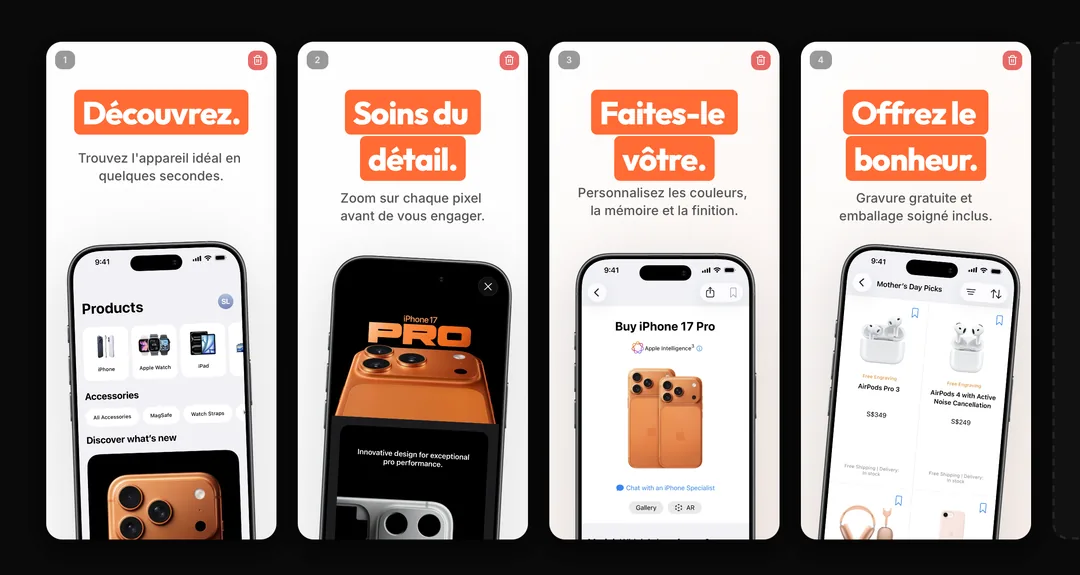
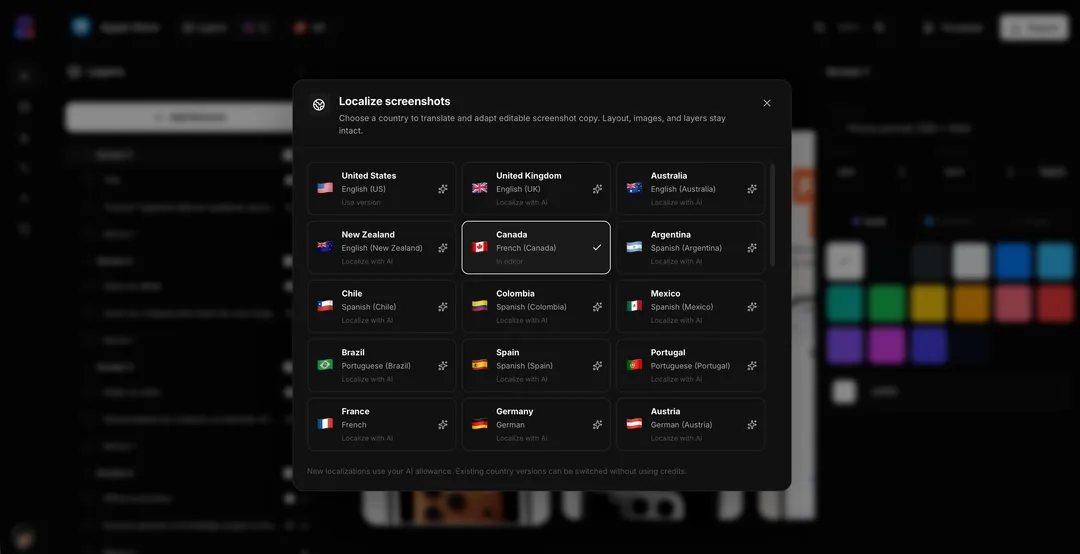
AI localization for editable screenshot sets
Choose a market and let AI translate and adapt your editable screenshot copy. Your layouts, real app screens, and layers stay exactly where you put them—so every locale starts from a working master, not a rebuild.
- Adapt - Generate natural localized titles, subtitles, and custom text for each market
- Preserve - Keep your layout, images, and editable layers intact across versions
- Review - Fine-tune each version in the canvas before exporting the final set
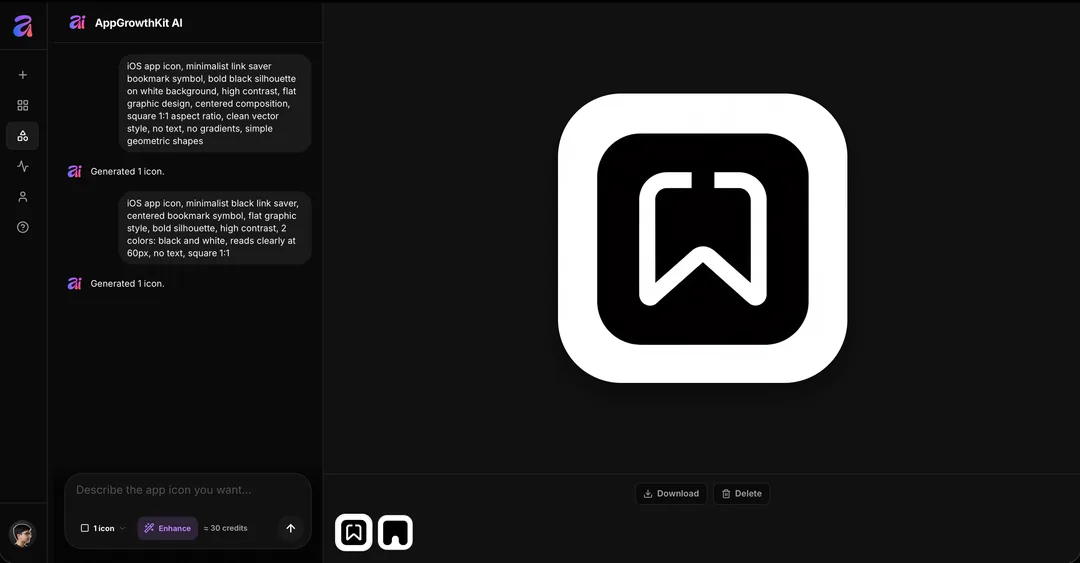
Give your app an icon worth tapping
Describe the feeling, subject, and style you want. AppGrowthKit AI generates several app-icon directions at once, so you can compare a real set of options before choosing the one that belongs beside your screenshots.
- Describe - Start with a simple prompt, then enhance it when you want more art direction
- Explore - Generate one, two, or four icon directions in a single pass
- Download - Keep the winners and download the generated icons when you are ready
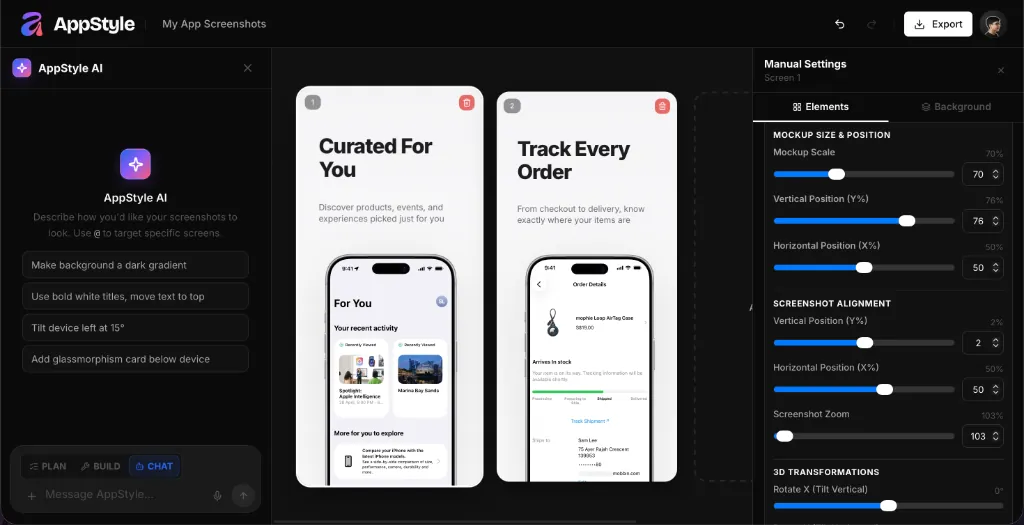
Turn raw screens into store-ready visuals
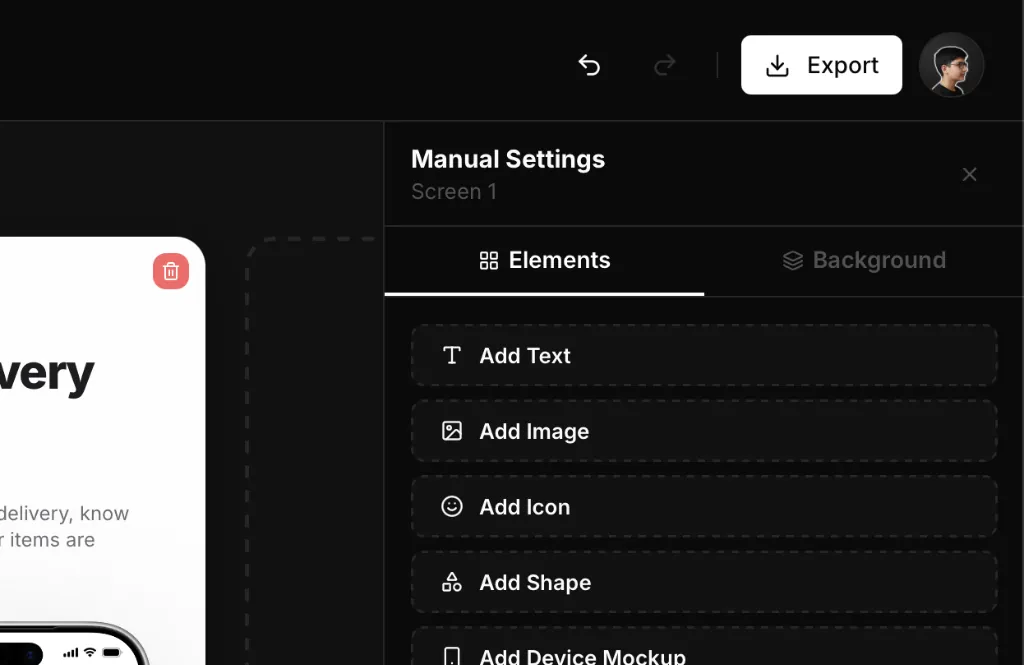
Upload your app screenshots, add polished layouts, and prepare assets for every store. Layer text, backgrounds, and device frames on one canvas - your workflow stays fast from first screen to final export.
- Layers - Organize screenshots, frames, text, and backgrounds on one canvas
- Properties - Tune fonts, colors, spacing, and sizing without leaving the editor
- Preview - See store-ready output before you export
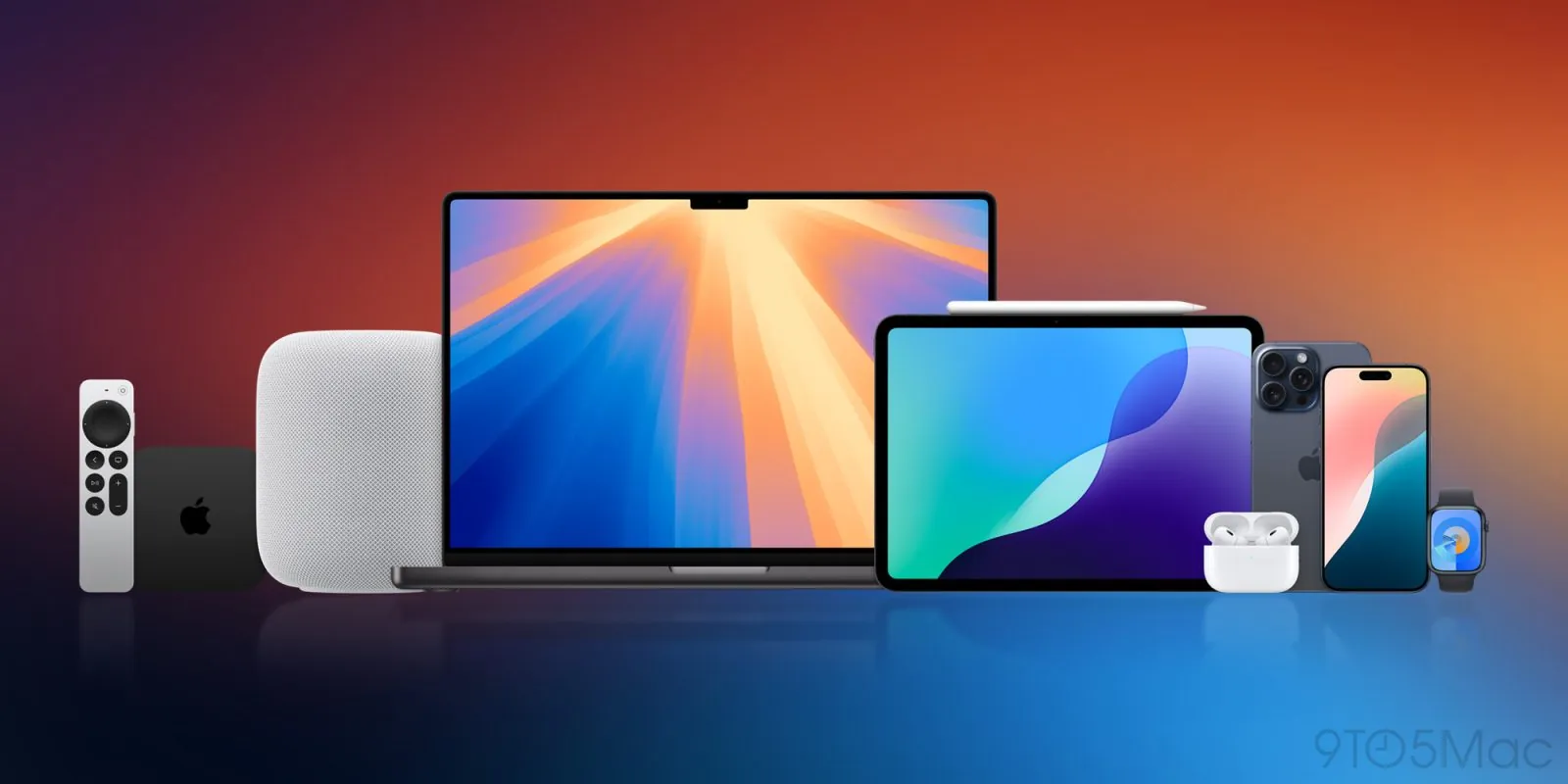
Latest devices, store ready
iPhone 17, iPhone Air, Pro Max - every device frame is scaled and ready to use. Pick from the latest iPhone, iPad, and Android frames, choose a finish, drop in your screenshot, and keep moving.
- Devices - iPhone, iPad, and Android frames kept up to date
- Colors - Match your frame finish to your app's look
- Scale - Drop in a screenshot and it's sized correctly every time
Export everything in one click
Download all your screenshots at once in the exact format Apple and Google require. No resizing, no reformatting, no second tool - just click export and ship your listing.
- Formats - Apple and Google specs built in, no manual resizing
- Batch - Export every screen in your project at once
- Ship - Download and upload straight to App Store Connect or Play Console
- Sizes - iPhone 6.9″ at 1260×2736, iPad 13″ at 2064×2752, Play phone at 1080×1920
Audit your listing. Fix the keywords.
Link your App Store listing to a project and get a 0-100 score, with the top fixes ranked by the points they cost. Research keywords against the apps that already rank, then rewrite your title, subtitle, and keyword field and watch the score move.
- Audit - Seven pillars, from metadata and screenshots to ratings and freshness, with the reason behind every flag
- Research - See who ranks for a search, how established they are, and the words they share
- Track - Check where your app ranks for the keywords you pick, with a history per storefront
Simple pricing. No surprises.
Pay once with Launch Pass, or choose Pro for ongoing releases.
- 1 active project
- Support included
- Store-ready exports (not included)
- AI credits (not included)
App Store Screenshots
- Full manual design editor
- All device frames & models
- Custom fonts & gradients
- AI localization for editable screenshot sets (not included)
App Icons
- AI app icon generation (not included)
- Apple-ready icon exports (not included)
ASO Research
- Listing score & audit overview
- Listing editor with live scoring (not included)
- Keyword research & rank tracking (not included)
- Competitor benchmarks (not included)
- 750 AI credits / month
- Unlimited projects
- Unlimited store exports
- Support included
App Store Screenshots
- Design editor & layers
- All device frames & models
- Custom fonts & gradients
- AI localization for editable screenshot sets
App Icons
- AI app icon generation
- Apple-ready icon exports
ASO Research
- Listing score & audit overview
- Listing editor with live scoring
- Keyword research & rank tracking
- Competitor benchmarks
- 250 AI credits
- Unlimited projects
- Unlimited store exports
- Support included
App Store Screenshots
- Design editor & layers
- All device frames & models
- Custom fonts & gradients
- AI localization for editable screenshot sets
App Icons
- AI app icon generation
- Apple-ready icon exports
ASO Research
- Listing score & audit overview
- Listing editor with live scoring
- Keyword research & rank tracking
- Competitor benchmarks
Frequently asked questions
Quick answers about designing and exporting app store screenshots with AppGrowthKit.
AppGrowthKit is a growth toolkit for App Store and Google Play, built for indie developers and teams. The core product is an AI screenshot maker: upload your app screens, add device frames, headlines, and backgrounds - or let AI draft layouts and copy - then export store-ready assets for your Apple App Store and Google Play listings.
No. Screenshots are the core: the editor, AI layouts, localization, and store-ready export for App Store and Google Play. The same account generates AI app icons and includes an ASO workspace that audits your App Store listing, researches keywords against the apps that already rank, and keeps a rank history for the keywords you track. Free tools cover the rest of a launch: an app icon size generator, an ASO character counter, and live App Store charts.
No. AppGrowthKit is built for developers, not designers. Use the layer-based editor to arrange screens and text, or describe your app and let AI draft layouts and copy you can fine-tune before export.
AppGrowthKit supports the Apple App Store and Google Play. Export store-ready screenshots for iPhone, iPad, and Android apps without manual resizing or reformatting.
Tell AppGrowthKit what your app does and AI plans the layout, writes headlines, and applies backgrounds and spacing across your screens. You stay in control - review the draft, edit anything on the canvas, and export when it looks right.
Yes. AppGrowthKit exports screenshots in the formats and dimensions Apple and Google require. Download every screen in your project at once - no manual resizing or reformatting in another tool.
Launch Pass is a $9.99 one-time purchase for a single launch, with unlimited projects, unlimited exports, and 250 AI credits. Pro is $14.99/month or $99.99/year for ongoing work, unlimited projects and exports, and 750 AI credits each month.
Choose Launch Pass when you are preparing one app launch and do not want a recurring subscription. Choose Pro for repeated releases, ongoing screenshot experiments, and AI credits that refill each month.
Yes. Upload raw app screenshots, drop them into the latest iPhone, iPad, and Android frames, and customize colors, text, and layout until your listing looks the way you want.
Design the English master in AppGrowthKit, pick a market, and let AI adapt titles and captions for that locale. Layouts and app screens stay in place. AppGrowthKit covers 42 App Store locales, then you export each set in the sizes Apple and Google require.
Yes. Grok Bot is strong at competitor research and first-draft captions. AppGrowthKit is where those words go onto real app screens, with device frames, localization, and exact store exports. Do not let any agent invent the in-app UI.
Ready to make your app stand out?
Join developers creating polished App Store screenshots in minutes, not hours.